 TokenSave
Claude Usage Limits 2026: 5-Hour and Weekly Resets Explained
Jonhisking · October 16, 2026

You are halfway through a task and Claude stops with "You've reached your usage limit." The obvious questions follow: when does it come back, why did it run out so fast, and does paying more fix it right now? Search for answers and you get a mix of "five hours from your first message", "every seven days" and screenshots of a usage page that has since changed, so it is hard to tell what applies to your account today.
So we re-read Anthropic's help center articles on usage on October 16, 2026, and checked each point against the live usage page of a Claude Max 5x account. This guide covers how the session limit and the weekly limit work, where to see your reset times, what the new "Reset for free" button does, why prompts in some languages use the limit faster, and the habits that make it last.
🧮 Open the Subscription vs API calculator →
Claude has two usage limits running at once
Claude has two different kinds of limit, and only one of them is what people mean by "usage limits":
- Usage limits cap how much you can use Claude over time. Paid plans (Pro, Max, Team and seat-based Enterprise) have a session limit that resets every five hours and weekly limits that reset once a week, both counting at the same time.
- Length limits cap how long a single conversation can grow. They come from the model's context window: on paid plans the newest models support up to 1M tokens, others 500K or 200K.
This guide is about the first kind. You can have plenty of weekly allowance left and still hit the session limit by doing a lot in five hours, or have a fresh session and be blocked because the weekly limit is used up. And claude.ai, the desktop app, the mobile apps and Claude Code all draw from the same limit. A long Claude Code run leaves less for chat, and the other way round.
Claude usage limits by plan
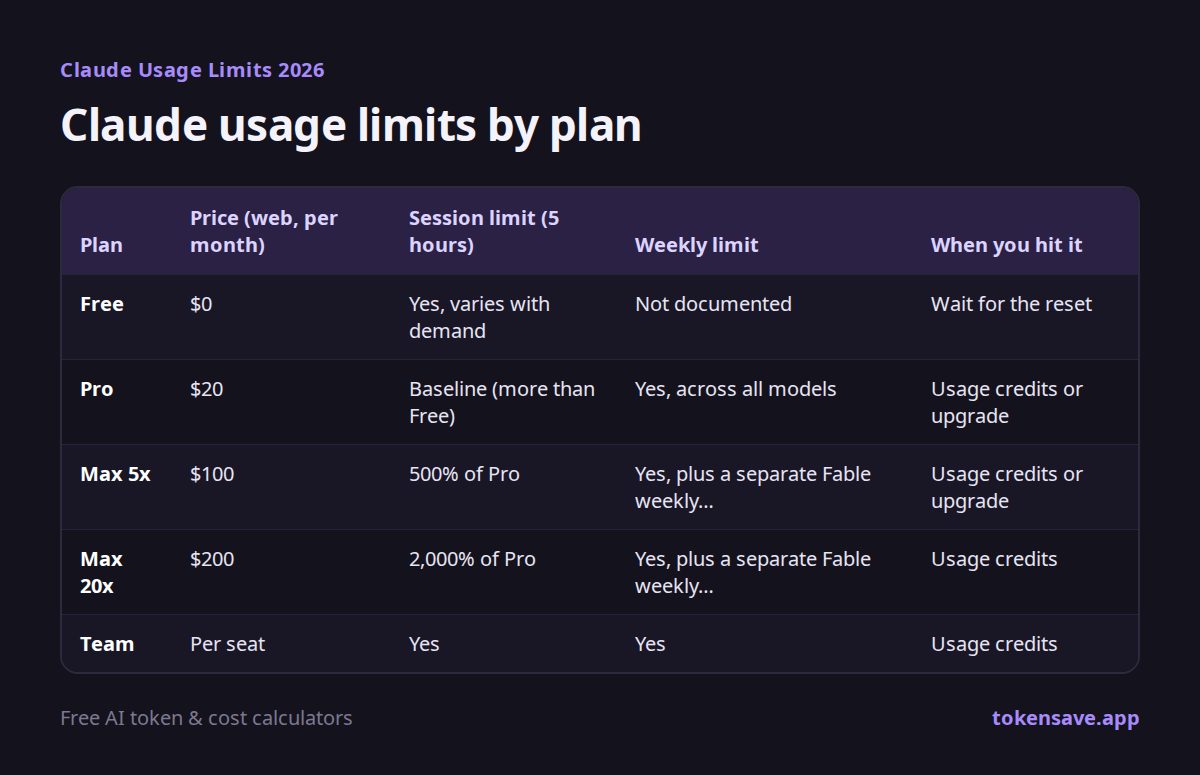
| Plan | Price (web, per month) | Session limit (5 hours) | Weekly limit | When you hit it |
|---|---|---|---|---|
| Free | $0 | Yes, varies with demand | Not documented | Wait for the reset |
| Pro | $20 | Baseline (more than Free) | Yes, across all models | Usage credits or upgrade |
| Max 5x | $100 | 500% of Pro | Yes, plus a separate Fable weekly limit | Usage credits or upgrade |
| Max 20x | $200 | 2,000% of Pro | Yes, plus a separate Fable weekly limit | Usage credits |
| Team | Per seat | Yes | Yes | Usage credits |
A few points the table cannot show:
- There is no fixed message count. Anthropic does not publish "X messages per five hours" for any plan. How much fits depends on message length, attachment size, how long the conversation already is, the model and effort level you pick, and tools such as web search and Research.
- The Max multipliers are per session. The help center says Max 5x gets 500% of Pro's per-session usage and Max 20x gets 2,000%. Weekly allowances are not published as numbers.
- Max has a separate weekly limit for Fable. The usage page shows a "This week: Fable" bar of its own, which resets at the same time as the regular weekly limit.
- Prices are for web subscriptions. Buying through the iOS or Android app can cost more because of store pricing. For what each plan includes, see Claude Pro price 2026.
When does the Claude usage limit reset?
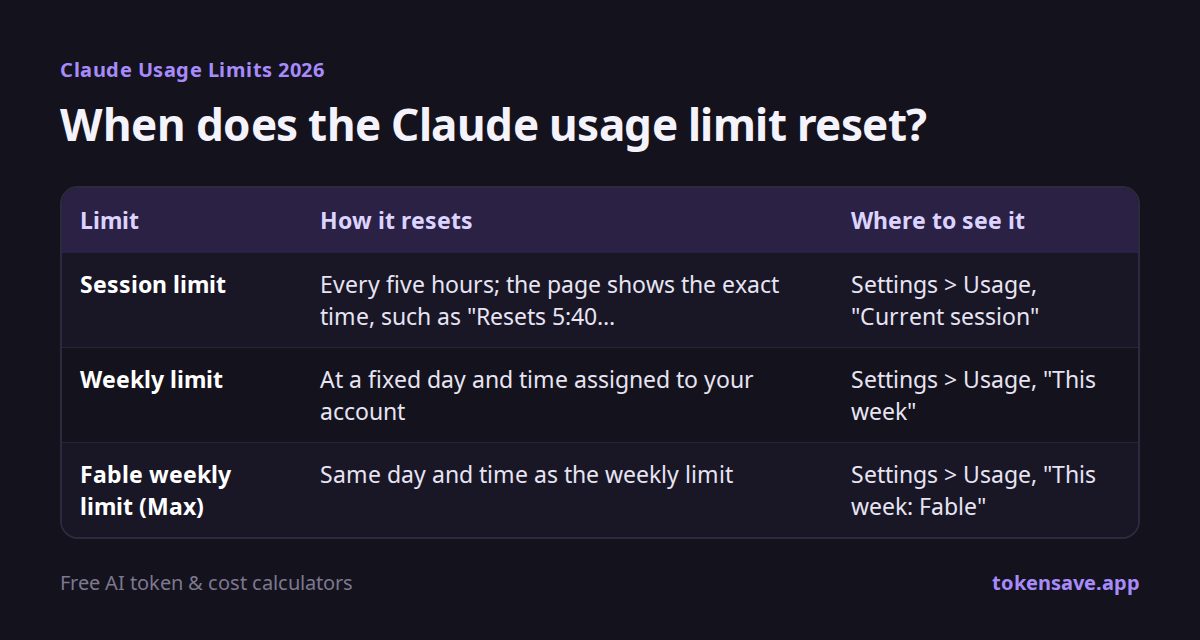
The two limits reset in different ways, and most of the confusion online comes from mixing them up.
| Limit | How it resets | Where to see it |
|---|---|---|
| Session limit | Every five hours; the page shows the exact time, such as "Resets 5:40 PM" | Settings > Usage, "Current session" |
| Weekly limit | At a fixed day and time assigned to your account | Settings > Usage, "This week" |
| Fable weekly limit (Max) | Same day and time as the weekly limit | Settings > Usage, "This week: Fable" |
The session limit does not reset at a set time of day such as midnight. When you start using Claude, a five-hour session opens, and the usage page shows when it ends. If you start around 10 a.m., expect it to be full again around 3 p.m.
The weekly limit is often described as "seven days from your first message", but that is not what the help center says as of October 2026. Both the Pro and Max pages say each account has a fixed weekly reset day and time that does not change based on when you start using Claude or when your subscription began. The account we checked resets every Thursday at 7:00 p.m. (Korea time). Yours will be listed on the same page.
How to check your Claude usage
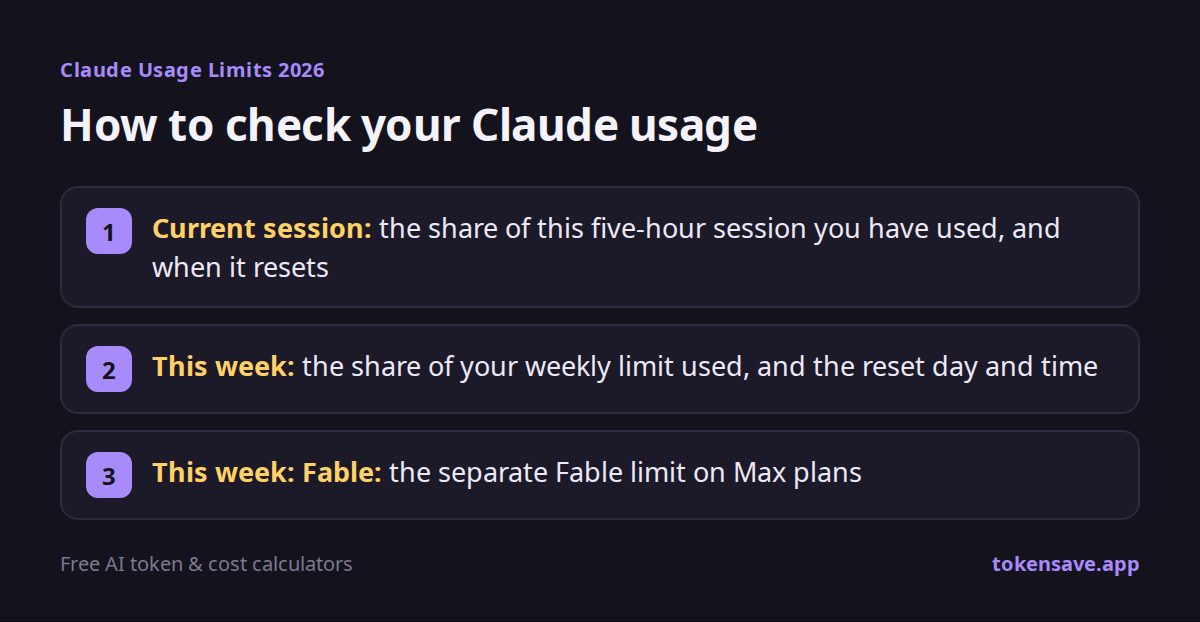
On the web or in the desktop app, open Settings > Usage (or go to claude.ai/settings/usage). The page opens with a one-line summary such as "New week. You've used 9% of your weekly limit", followed by three bars:
- Current session: the share of this five-hour session you have used, and when it resets
- This week: the share of your weekly limit used, and the reset day and time
- This week: Fable: the separate Fable limit on Max plans
Scroll down and you will find usage by product this week, which splits your weekly usage between Claude Code, chat, Cowork and other. On the Max 5x account we checked, 93% of the week's usage came from Cowork (agent work that uses files and tools over many steps), 3% from Claude Code and just 1% from chat. Tasks that run many steps on their own make many requests behind the scenes, so one instruction can use more than dozens of chat messages.
In Claude Code, type /usage in the terminal for the same information. If you want to see what your Claude Code tokens would have cost on the API, and which days and projects used the most, drop your log folder into the Claude Code usage analyzer. It runs entirely in your browser.
The new "Reset for free" button
The usage page now has a Resets section. According to the help center, limit resets are offers Anthropic gives "occasionally to eligible plans", and using one fills a limit back up.
- There are two kinds. A five-hour reset refills the session limit, and a full reset refills the weekly limit. The account we checked had one full reset, expiring October 23, and showed "None right now" for five-hour resets.
- You can use one before you hit a limit, but it cannot be undone, and your regular weekly reset day and time stay the same.
- Only the web and desktop app show the button. It is not in the mobile apps or Claude Code. Because limits are shared across your account, a reset made on the web also frees up mobile and Claude Code.
- Unused resets expire on the date shown, and they disappear if you downgrade or cancel first. A reset does not refund extra usage you have already been billed for.
To use one, go to Settings > Usage, click Reset for free in the Resets section and confirm. The same button appears in the message you see when you hit a limit. If you have a full reset, it is worth most late in your week, when the weekly bar is almost full.
What to do when you hit the limit
| Option | Cost | Best when |
|---|---|---|
| Wait for the reset | Free | You hit the session limit and can wait a few hours |
| Reset for free | Free, if you have one | Your weekly limit is nearly full and you have a reset offer |
| Turn on usage credits | Pay as you go at API rates | You go over now and then and need to keep working |
| Upgrade your plan | $80 to $180 more a month | You hit the limit most weeks |
Usage credits are switched on in Settings > Usage. Once on, work no longer stops when you use up your session or weekly limit (or, on Max, the Fable weekly limit): it moves to credits and the notice changes to "Now using credits". Credits are billed at standard API rates, separately from your subscription. Set a monthly spend limit before you turn them on; an unlimited setting plus a long agent task can cost more than you expect. Credits do not change when your session and weekly limits reset.
Upgrading applies the new limits immediately, with prorated billing. If you only hit the limit occasionally, a little usage credit is cheaper than paying $80 more every month. We compare the plans by usage pattern in Claude Max vs Pro.
Prompts in other languages use the limit faster
The help center lists message length and conversation length first among the things that drive usage. The same content takes more tokens in many languages than in English. When we sent identical text and questions to Claude Opus 5.5 on October 16, 2026:
- Asked to write the same meaning, Korean used 102% more output tokens than English, and Japanese 65% more.
- For five everyday questions asked in each language, Korean cost 35% more than English.
Anthropic does not publish limits in tokens, so these numbers cannot be read as a direct limit difference. But if usage depends on how long messages and answers are, people who work in Korean or Japanese will usually reach the same limit sooner than people doing the same work in English.
The fix is simple: write long instructions and background in English and ask for the answer in your language. Paste a prompt into the token counter and press 💸 Save tokens to see how much an English version saves. More ways to cut the gap are in Cut token costs for non-English prompts.
How to make your Claude limit last longer
- Ask related questions in one message. Three separate messages reprocess the conversation three times. Put the background and all the questions in one message.
- Start a new chat when the topic changes. Each message costs more as a conversation grows. If you need the context, ask Claude to summarize the key points and paste the summary into a new chat.
- Keep reference files in a project. The help center says project content is cached and counts less against your limits when reused. After a long break, the first message counts it in full again.
- Use extended thinking and high effort only when needed. Summaries and translations work fine at a low effort level. We timed and priced each level in Claude Opus 5.5 effort levels tested.
- Turn off connectors and web search you do not need. Connected tools add their descriptions to requests, and web search reads results that count toward usage.
- Give agent tasks a narrow scope. Cowork and Claude Code take fewer steps when you say exactly which file to change and how. More Claude Code tips are in How to save tokens in Claude Code.
What we found using it
I went from Free to Pro and then to Max 5x, and I use Max 5x now. A lot of my work is coding and tasks that connect outside tools, which uses many tokens, so Max fits; if I only did other kinds of work, Pro would be enough. On Opus 5 I did run out of my limit, but since Opus 5.5 I have not hit it yet.
In numbers: running my Claude Code logs through the usage analyzer showed that 17 days of use would have cost $145.90 at API prices, 257% of what Max 5x costs for that period. This week, after the Thursday reset, I had used 9% of the weekly limit, and 93% of that came from Cowork tasks. The usage page makes the pattern plain: what uses the limit fastest is not the number of chats but long tasks handed to an agent.
Summary
Claude's usage limits combine a session limit that resets every five hours with a weekly limit that resets at a fixed day and time for your account. The web, apps and Claude Code share them, there is no set message count, and how much you use depends on message and conversation length, the model and the tools involved.
When you hit a limit, first check Settings > Usage for the reset time and any "Reset for free" offer. If you need to keep working, set a monthly spend limit and turn on usage credits. Upgrade only if you are blocked most weeks. And if you write long prompts in a language other than English, moving just those instructions to English is an easy way to stretch the limit.
FAQ
How many messages do I get on Claude Pro every 5 hours? There is no fixed number. Anthropic says it depends on message length, attached files, conversation length, and the model and features you use. Short questions go a long way; long documents and agent tasks use the session much faster.
Does the weekly limit reset seven days after my first message? Not according to the help center as of October 2026. Each account has a fixed reset day and time that does not depend on when you first used Claude or when you subscribed. It is shown under "This week" in Settings > Usage.
Do Claude Code and chat have separate limits? No. claude.ai, the desktop app, the mobile apps and Claude Code share one limit. The "usage by product" section of the usage page shows how much each one used.
Are usage credits expensive? You pay standard API rates for what you use. Light chat costs little, but long agent tasks on Opus models add up quickly, so set a monthly spend limit first.
Does everyone get "Reset for free"? The help center only says resets are given "occasionally to eligible plans" and does not say who gets them or how many. If you have one, it appears in the Resets section of Settings > Usage with its expiry date.
Run your own numbers
Whether staying within a subscription or paying for the API is cheaper depends on how much you use. Enter your message count, length and language in the Subscription vs API calculator to compare. For Claude Code's side of the limits, see Claude Code usage limits.
Usage limits and features change often. This guide reflects Anthropic's help center and a live usage page as of October 16, 2026.
Sources
- How do usage and length limits work? (Claude Help Center)
- What is the Pro plan? (Claude Help Center)
- What is the Max plan? (Claude Help Center)
- What is a limit reset? (Claude Help Center)
- Manage usage credits for paid Claude plans (Claude Help Center)
- Usage limit best practices (Claude Help Center)
More articles
- Nano Banana Pricing & Free Limits (2026)
- How to Check Claude Code, Codex and Cursor Usage and Cost (2026)
- ChatGPT Usage Limits 2026: Every Plan and the 5-Hour Window
- Indie Game Development Cost: Solo Dev Budget, Fees, Real $20 Case
- Grok API Pricing 2026: Grok 4.7, 4.3, Tools and Imagine Costs
Enter your message count, length and language to see whether a subscription or the API is cheaper for you.
Open the Subscription vs API calculator →