 TokenSave
Google Play Closed Testing: 14 Bugs I Fixed in 14 Days (Vibe-Coded Game)
Jonhisking · October 6, 2026
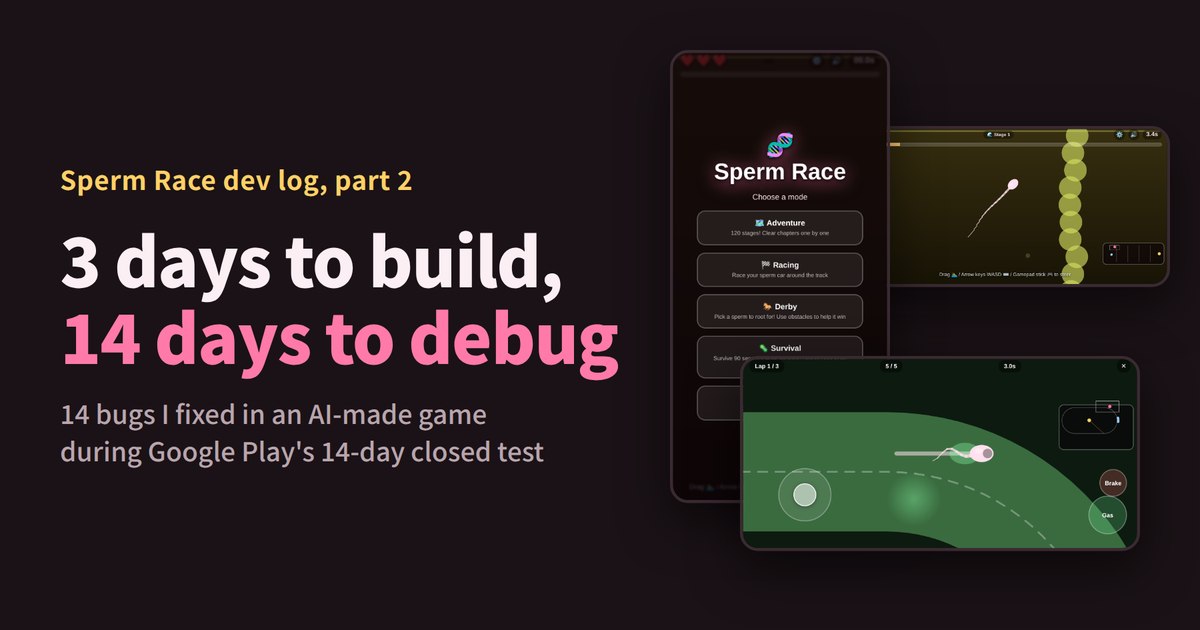
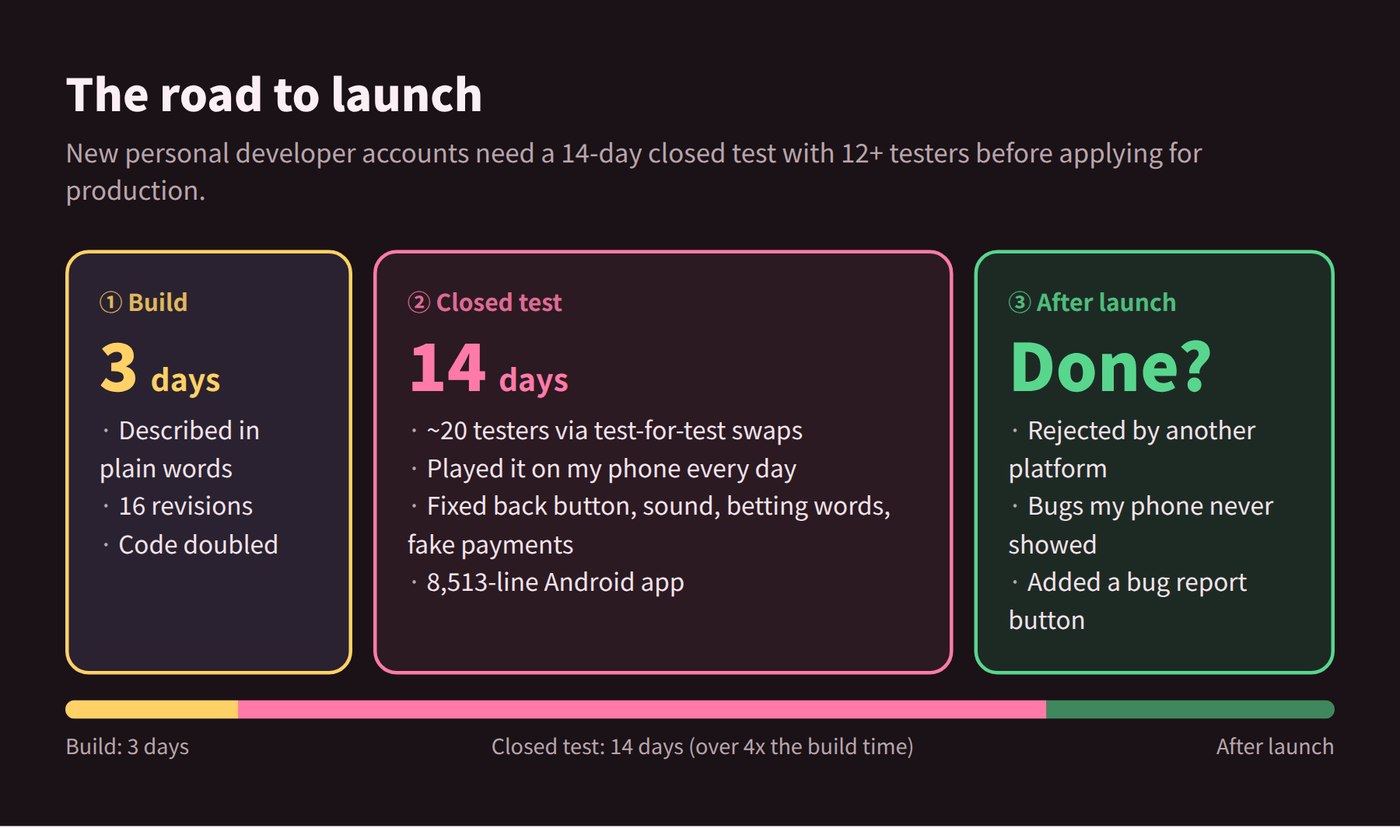
In part 1 I made a game in 3 days with zero coding experience, just by describing it to an AI. I was ready to hit "publish" when Google Play stopped me: a new personal developer account has to run a closed test with at least 12 testers for 14 days before it can launch.
Fourteen days. More than four times longer than building the game. Instead of just waiting, I decided to play it every day. And I found out that without those 14 days, launch would have been a disaster.
3 days to build, 14 days to debug. This is the story of the 14 bugs I fixed, from building through the closed test to after launch.
What is Google Play's 14-day closed test?
If you created a personal Google Play developer account after November 13, 2023, you have to run a closed test before your app can go to production.
- Testers: at least 12 people who opted in
- Duration: those testers stay opted in for 14 days
- Then: apply for production access from the Play Console dashboard
Organization accounts don't have this requirement. I found about 20 testers through test-for-test swaps with other indie developers. A lot of solo developers treat these 14 days as dead time. For me, they were the last chance to catch bugs before launch.
Sperm Race's code, by the numbers
I counted the code in the version files still on my computer (translation files excluded).
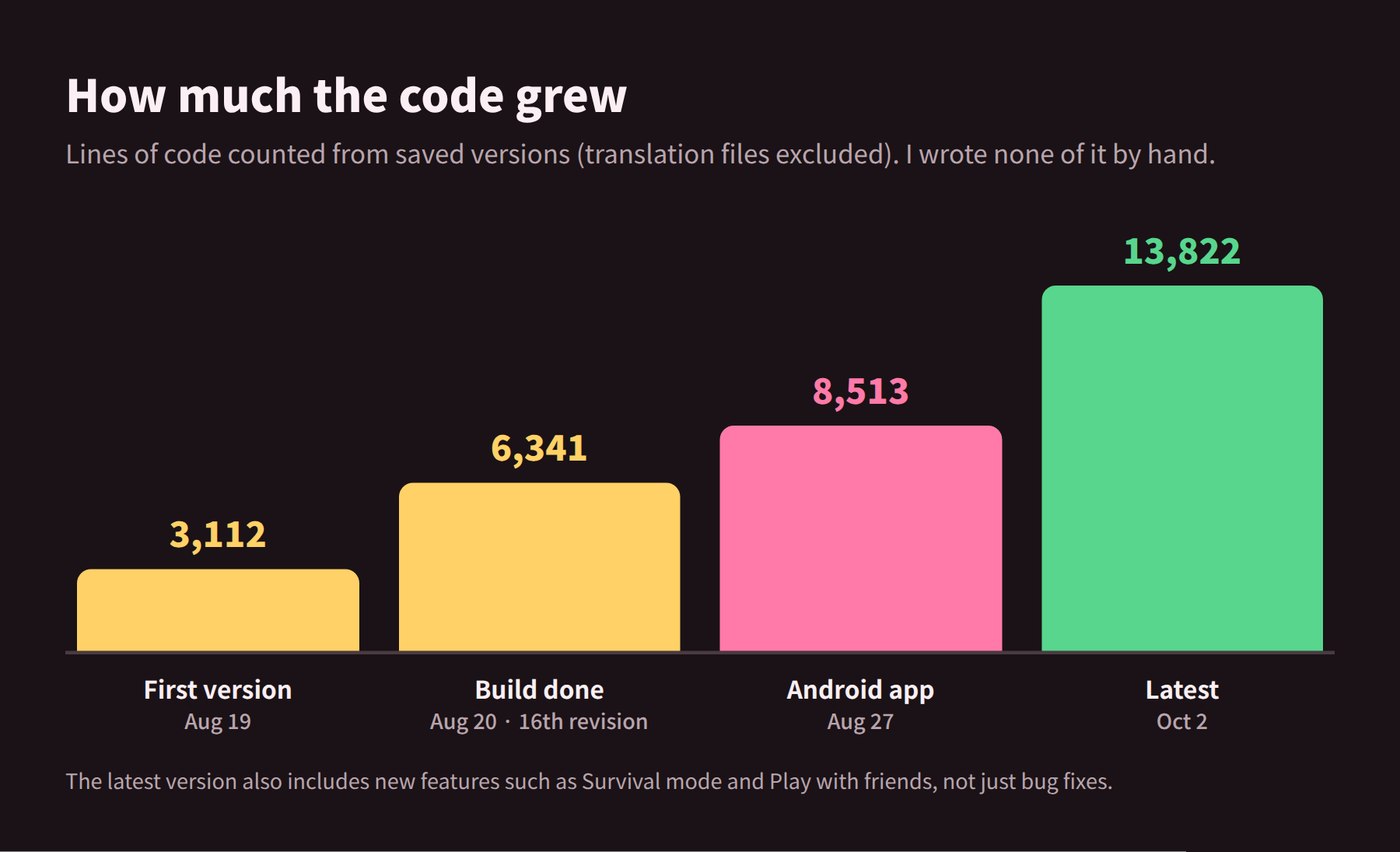
- In the first two days I got 16 revisions from the AI, and the code doubled.
- While turning it into an Android app, about 2,250 lines were added, and the "this used to be a bug" notes in the code went from 8 to 17.
- From the first version to the latest, about 10,900 lines were added. That includes new features like Survival mode and Play with friends, not just bug fixes.
I didn't write a single one of those lines. All I did was play and describe what I saw. The code passed 8,000 lines, and a Claude Pro plan was still enough all the way to launch. If you want to know how many tokens your own code is, paste it into the Claude token counter.
"Find the bug" doesn't work
At first I just said "find the bug and fix it." The AI would confidently say "Fixed!", but the bug was still there, and something that used to work was now broken. It was like walking into a doctor's office and saying "fix whatever's wrong" without saying where it hurts.
What worked was saying which mode + what I did + what happened. Honestly, my own reports were vague at first too. The quoted bug titles below are what I actually typed (translated from Korean), and many of them, like "drag controls feel harder than before," leave out where and how.
| Vague | Specific |
|---|---|
| "Find the bug and fix it" | "In racing, the lap counter jumps from 1/3 to 2/3 right after I cross the start line" |
| "Drag controls feel harder than before" (what I said) | "In racing, when I drag far to the side on a curve, it suddenly brakes" |
Luckily, every time the AI fixed something it left a note in the code like "this used to cause a problem," so the bug history was all still there. The screens below were reproduced in the real game, either by running those old version files or by undoing just one fix. Bugs that would have broken the game or failed review are major bugs; the rest are minor bugs.
7 major bugs
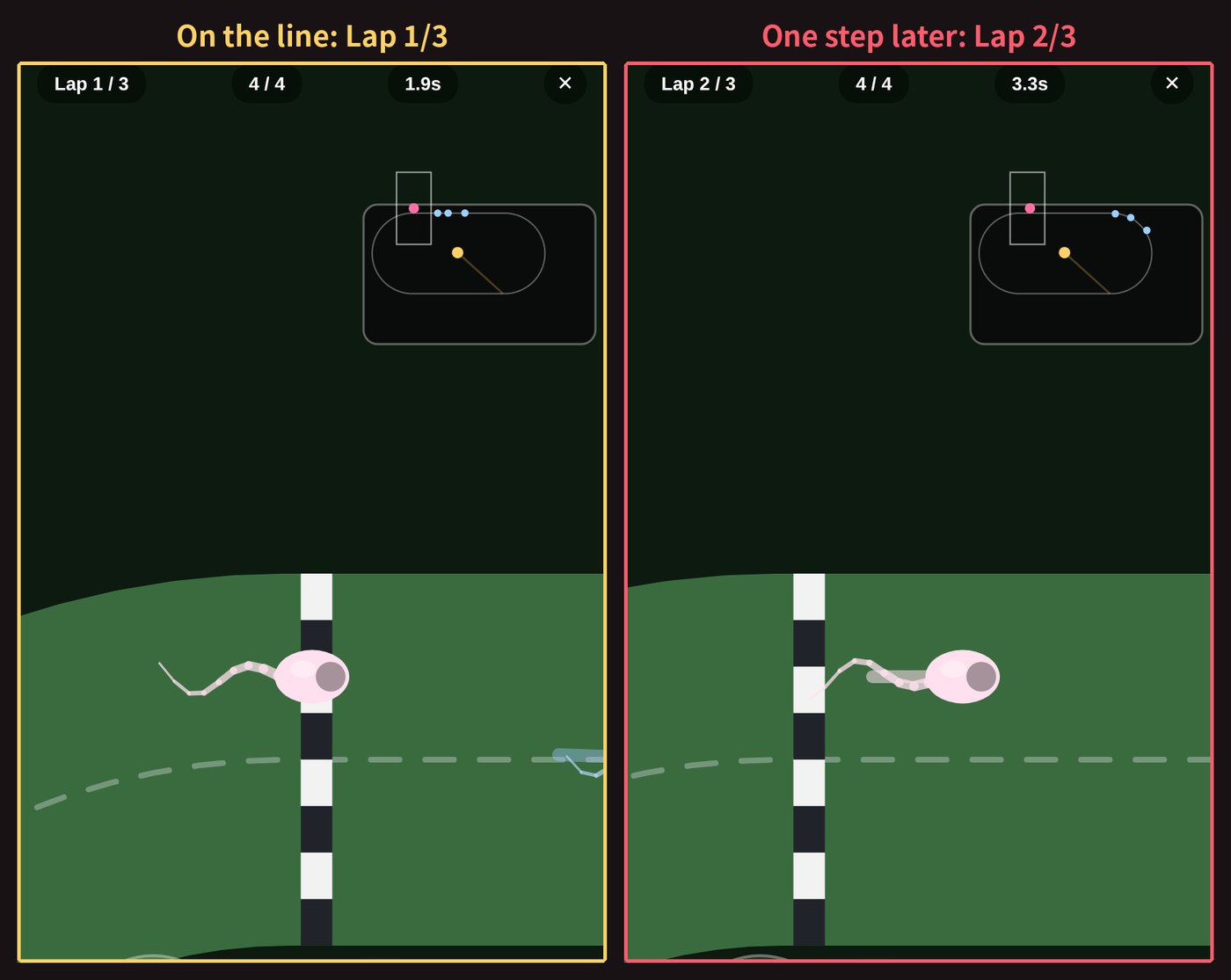
1. One lap done before the race even started (while building) In racing mode, the light went green, I moved one step, and the lap counter went up. To the game, the sperm parked just behind the start line looked like racers "about to finish a full lap." A 3-lap race was really a 2-lap race. Moving the grid in front of the line fixed it.
2. Cutting in for first place (while building) In racing, finishing your laps opens a gate to the center, and the first sperm to touch the egg inside wins. But the gate opened for everyone as soon as anyone finished their laps. So I could sit at the start line, wait for an NPC to finish its laps, then slip through the gate and win. It worked the other way too: I'd finish my laps and head for the egg, and an NPC that had been wandering around the track would slip in and take first place.
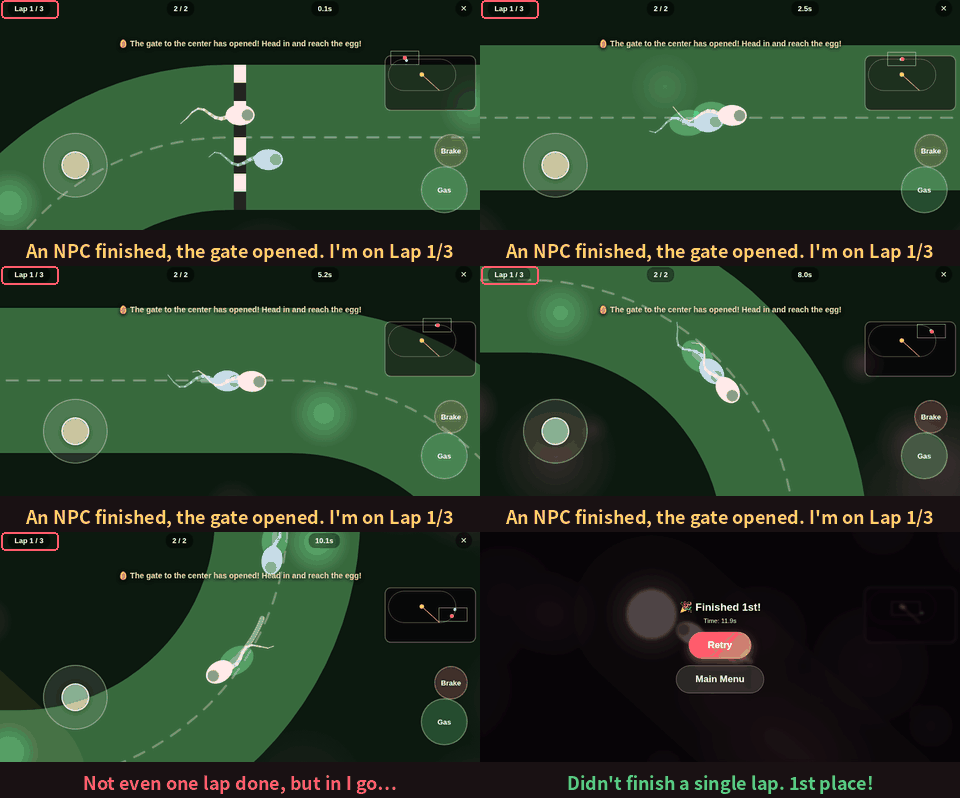
So I asked for two rules: "a sperm that hasn't finished its laps can't go inside" and "you only finish by actually touching the egg." Both came from me getting annoyed while playing.
3. "Pressing the back button mid-game closes the app" (closed test) I accidentally hit the phone's back button mid-race and the app just closed. A race I was winning, gone. If that had shipped, the first review would have been "back button closes the game, 1 star." Now it returns to the main menu during a game.
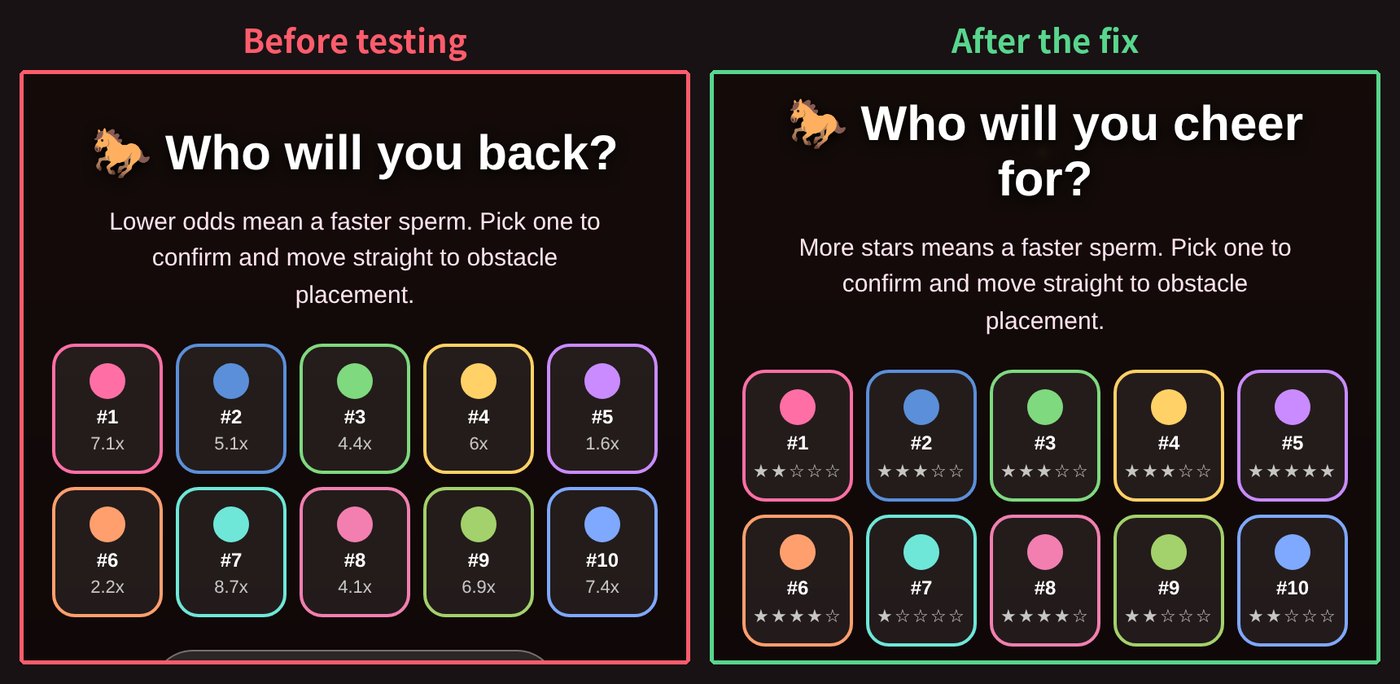
4. The sperm betting parlor (closed test) During the test period I read through Google Play's policies and broke into a cold sweat. Derby mode said "odds" and asked "who will you back?" A game where you bet on racing sperm. To a reviewer, that looks exactly like a gambling app. I changed it to star ratings (★★★☆☆) and "who will you cheer for?"
5. Tap for free stuff (closed test) A fake purchase button from development was still in the game. Tapping it charged nothing and instantly said "purchase complete." A fake ad gave the reward after waiting 5 seconds. Heaven for players, deceptive behavior to Google. I removed all of it.
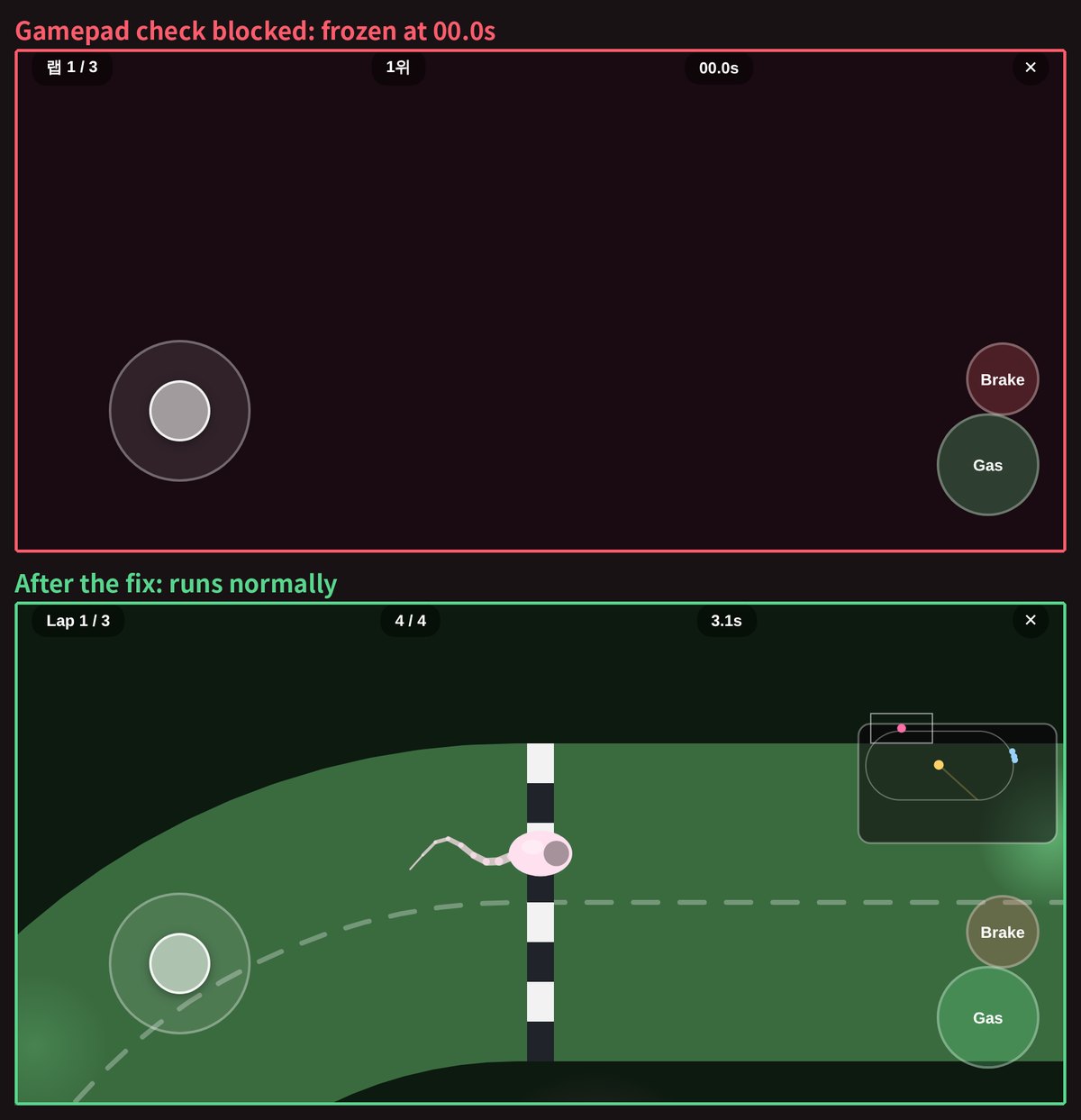
6. The whole game froze (after launch) I made it through the 14 days and launched. I thought I was done, but the scary part came next. I submitted the game to another platform and got rejected. The timer was stuck at 00.0s and the racing screen was black. All four modes.
The culprit was the gamepad. Sperm Race supports gamepads, so every frame it checks "is a gamepad connected?" On that platform, checking for a gamepad wasn't allowed at all. Every check threw an error, and every error froze the game. It never happened on my phone, no matter what I tried. A nice-to-have feature froze the entire game somewhere else.
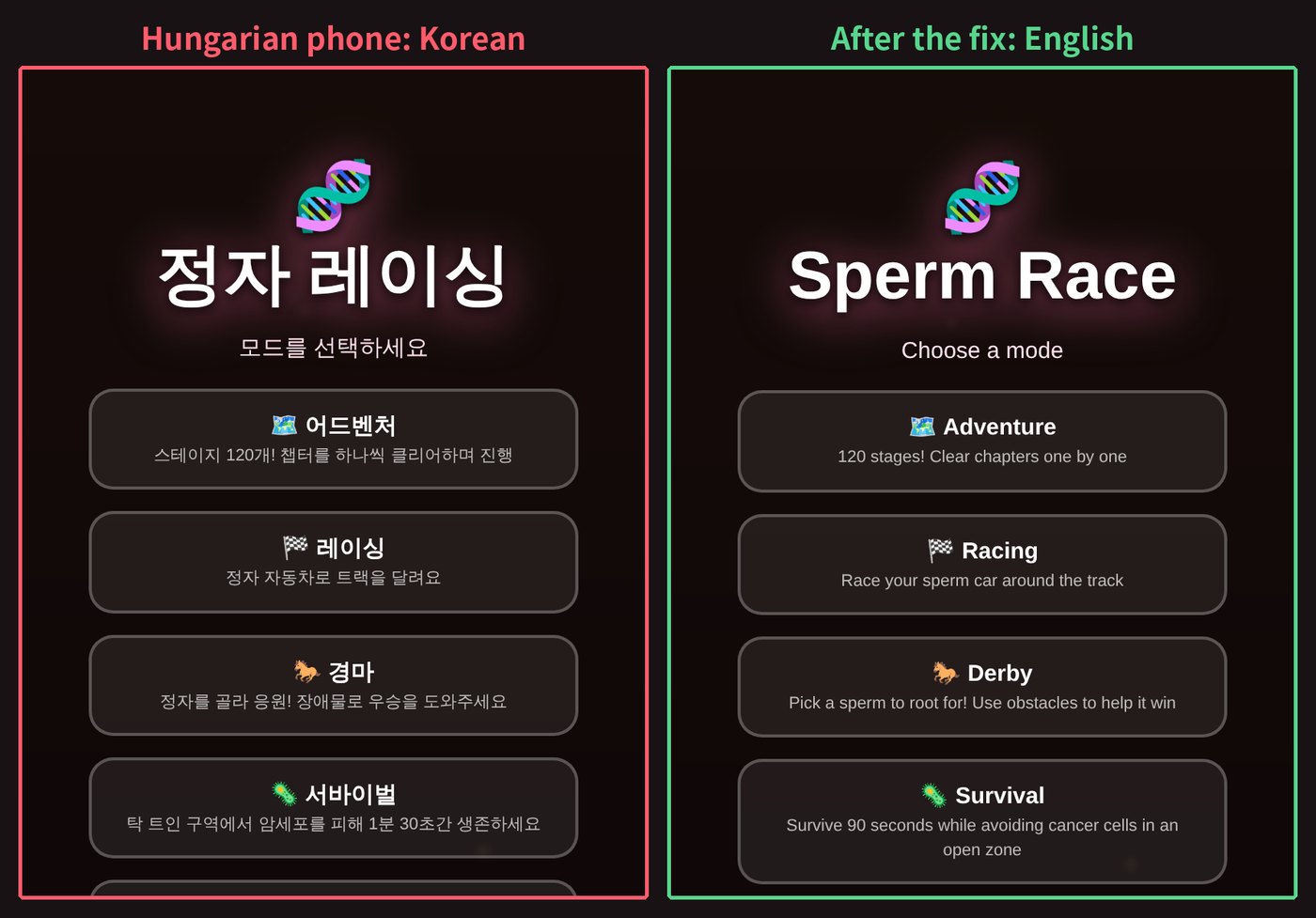
7. Korean for everyone else (after launch) Sperm Race supports 13 languages. But anyone whose phone language wasn't one of those 13 got the whole game in Korean. The culprit was written right there in an August 20 note: "If detection fails, default to Korean." A default I set while building it in 3 days came back as a bug a month later. Now unknown languages get English.
7 minor bugs
Not game-breaking, but you'd notice right away.
- Endless spinning at the egg: On the last lap, NPC sperm kept spinning in front of the egg instead of going in. They turned too fast and kept bouncing out. Now they slow down for sharp turns.
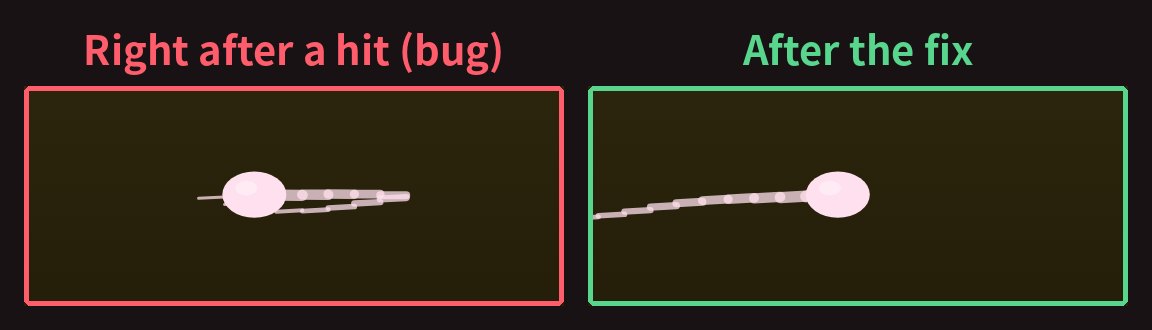
- Head here, tail there: When you hit an obstacle, the head bounced back but the tail stayed put, so the tail stuck out in front of the head.
- "Game sound keeps playing in the background": Even with the app minimized or the screen off, the game sounds kept going. The sperm were still racing in my pocket.
- The silent soundtrack: When the phone blocked the first attempt to play music, the game assumed "music is already playing" and never tried again.
- "Drag controls feel harder than before": On curves, if my finger drifted down even a little, the game read it as braking, so every curve meant a sudden stop.
- "The typhoon isn't working or I can't see it": The new obstacle only showed up from stage 29. I had never gotten that far. I moved it up to stage 12.
- Zero isn't a number to the AI: A maze meant to have "0 rivals" had 3. The code read 0 as "no value" and filled in the default of 3. The cause was a single symbol.
How to use your 14-day closed test
If you're waiting out your closed test right now, here are three things you can take straight from my experience.
1. Report bugs to the AI with this template
[Mode/screen] Racing mode, Stadium track
[What I did] Pressed gas after the start signal and crossed the start line
[Expected] Lap stays at 1/3
[What happened] Lap jumped to 2/3 immediately
[Every time?] Every time
[Device] Android app (phone model)
After fixing it, leave a comment in the code explaining why it happened.
Keep that last line. My AI left a "this used to cause a problem" note every time it fixed something, so I could always look back at what was changed and why. Those notes are how I was able to write this post.
2. A checklist for the 14 days
I wrote this so it works for any mobile game, whatever the genre. In brackets are the bugs I actually hit.
Things your phone does - Press back in the middle of a game (the app just closed) - Minimize the app, turn the screen off, and come back mid-game. Does the sound stop? Does the game resume? (sound kept playing) - Check the sound works right after first launch, before you tap anything, and after your first tap (music never started) - Try other phones and screen ratios. Ask your testers
Saving - Change settings and progress, then fully close and reopen the app. Is everything still there?
Language - Set your phone to a language your game doesn't support and launch it (Korean for everyone else) - For each supported language, check text doesn't overflow its buttons
Play to the end, and cheat - Play to the last stage. If that takes too long, ask the AI for a test-only skip (the stage-29 typhoon) - Try to cheat the win condition: stand still, go backwards, steal what someone else set up (cutting in for first) - Put 0 or the maximum into number settings: 0 enemies, 0 seconds, max level (0 rivals, 3 showed up)
Store policy - Look for words like "odds," "bet," or "wager" that could make the game look like gambling (the betting parlor) - Remove any fake purchases, fake ads, and test buttons from development (tap for free stuff)
Features that might be unavailable - Have the AI check that the game keeps running when optional features like gamepads, vibration or notifications are blocked (the whole game froze)
3. Two safeguards for bugs you can't see
After launch, bugs show up on devices, languages and platforms you've never seen. Sperm Race now has these two. You can ask the AI for them like this:
- Bug report button: "Add a bug report button to the settings screen. When someone reports, send the game version, device info and the most recent error along with it." To quote the note the AI left: "With the version, the device and the last error together, you can usually narrow down the cause on the spot."
- A no-freeze safety net: "If an error happens while drawing a frame, don't let the whole game stop, and log the error. For optional features like gamepads, just skip them quietly if they don't work."
The 14-day closed test felt like a chore at first. Now I'm grateful for it.
Try Sperm Race
Sperm Race is free on Google Play. If you run into a bug, please tap the bug report button on the settings screen. Those reports are my favorite thing to get.
- Google Play: Sperm Race
- Web version (itch.io): Sperm Race
Curious what an AI-made game costs in money and time? Plug your genre and size into the AI game cost calculator. And put bug-fixing time in your schedule. For me, it took more than four times as long as building.
More articles
- What's Trending on Roblox Right Now (October 2026): 8 Game Types
- How to Make a Roblox Game with AI (2026): Steps, Tools, Cost
- DeepSeek V4.1 Flash API Pricing: Peak vs Off-Peak, and How It Compares
- How Many Tokens Do You Get with Claude Pro and Max?
- Claude Code vs Codex vs Cursor: What Each Costs in 2026
Pick a genre, size, engine and platform to get your own cost, schedule and ready-to-use prompts.
Open the AI game cost calculator →